How to Get OP (Admin Access) on a Hytale Server
Operator (OP) or Admin access on a Hytale server allows you to manage players, configure worlds, and control server settings using commands. This guide explains how to grant OP access on a CloudNord-hosted Hytale server.
Method 1: Grant OP Using the Console (Recommended)
This is the safest and most reliable method.
Steps:
-
Open your CloudNord Control Panel
-
Select your Hytale server
-
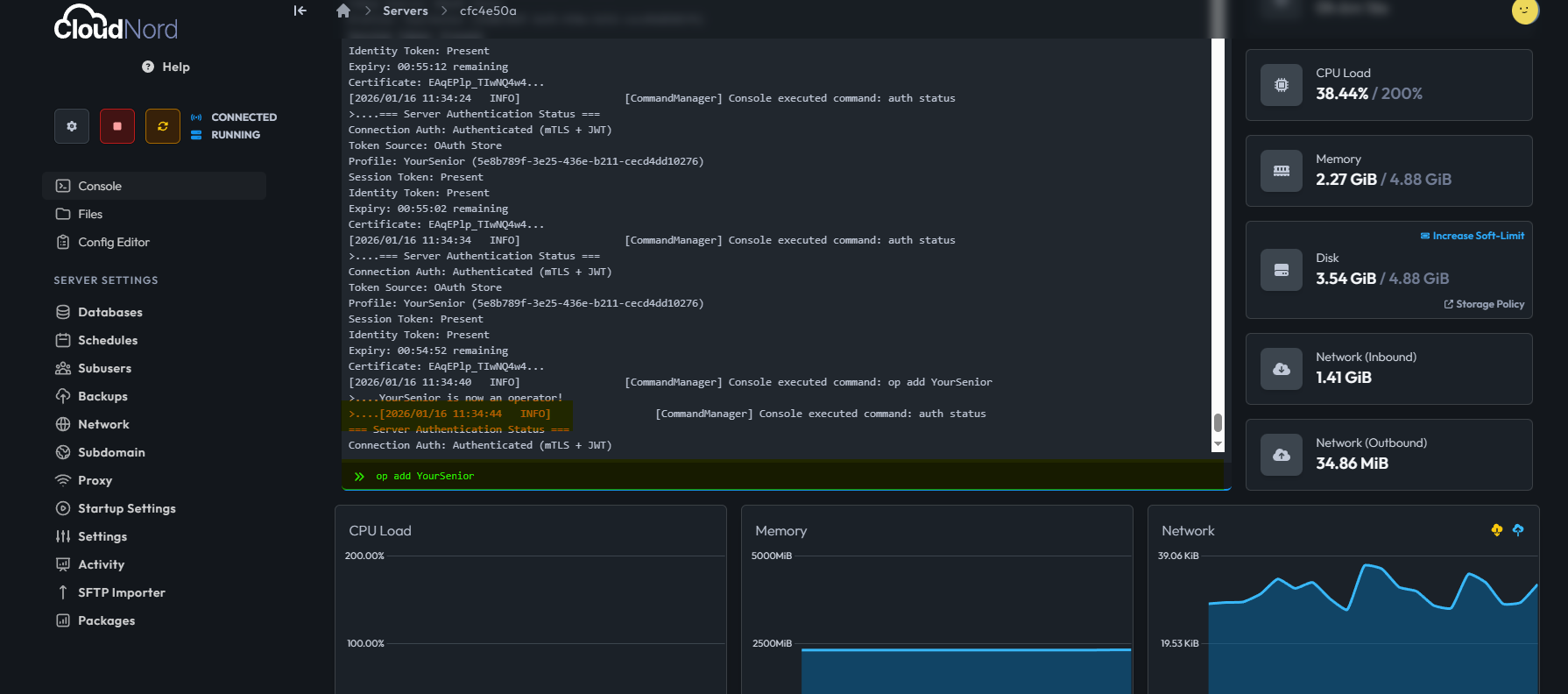
Go to the Console tab
-
Run the following command:
op add <playername>
-
Press Enter
Once completed, the player will immediately receive OP permissions.
Method 2: Grant OP In-Game (If You Are Already OP)
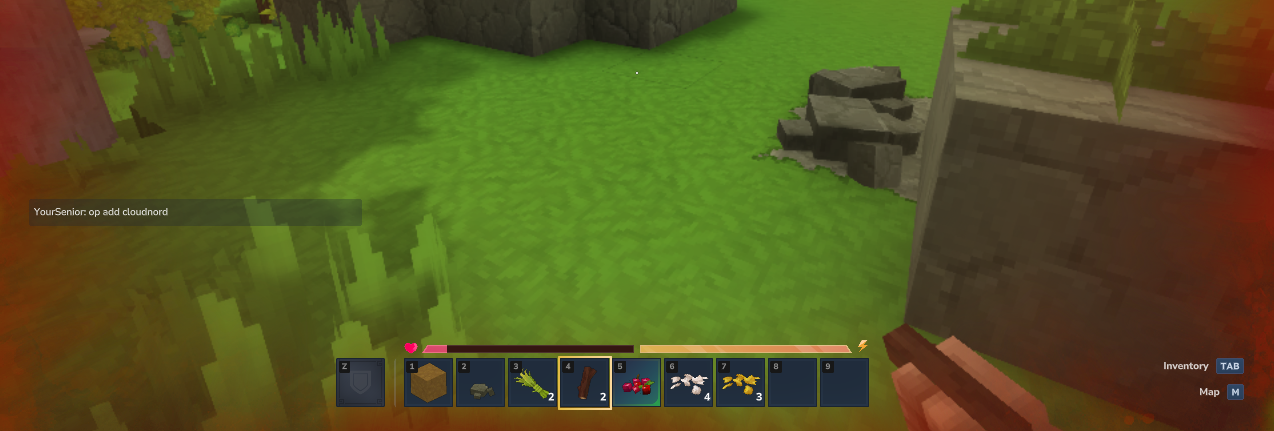
If you already have admin access, you can grant OP to another player directly in-game.
Steps:
-
Join the server
-
Open the chat
-
Run:
/op add <playername>
If successful, the player will now have full admin privileges.
Verify OP Status
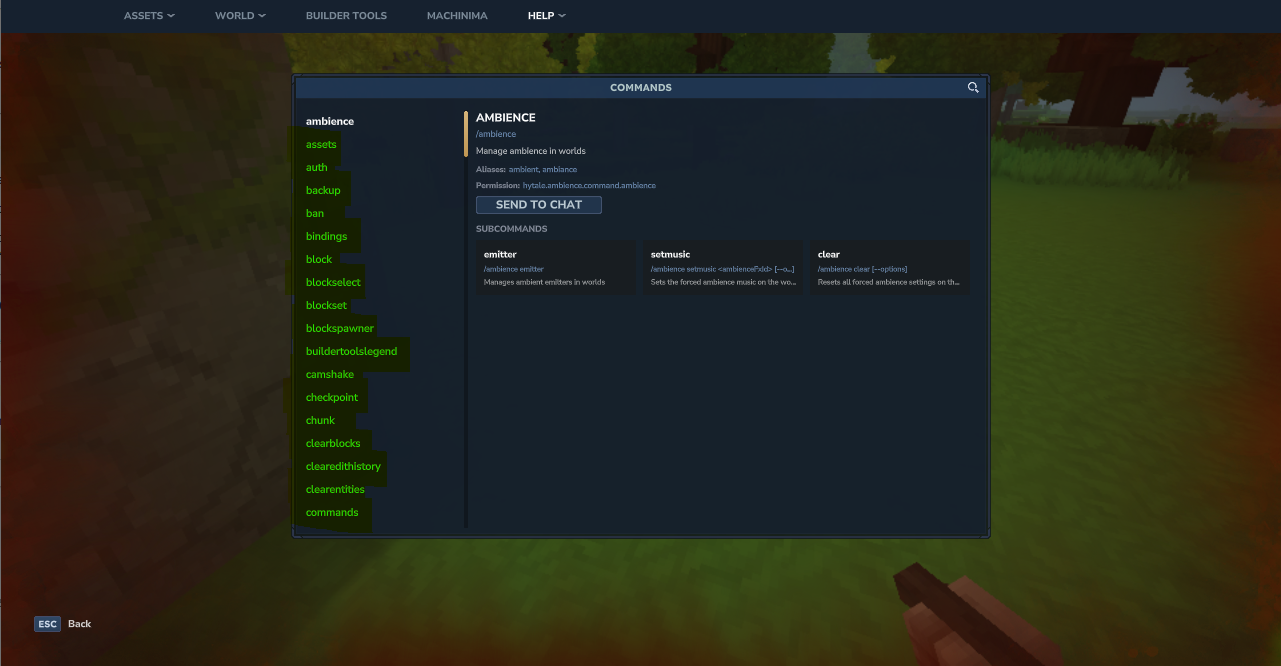
To confirm OP access, the player can run:
/help
If admin commands are visible, OP access is active.
Common Issues & Tips
-
Make sure the player is online when using the console or in-game method
-
Double-check the exact username spelling
-
OP access requires server authentication to be completed
(see: Hytale Authentication Required)
Security Notice
Only grant OP access to trusted players. OP permissions allow full control over the server, including world settings and player management.
Need More Help?
If you can't find what you're looking for, our support team is here to help.