Summer sale 10% off for life no code needed applied automatically at checkout

Game server hosting

Palworld server hosting

Spawn your server in about a minute.

Palworld server hosting CloudShield DDoS protection and automatic backups included.

From
$15.69 $14.12/mo
Summer sale · 10% off for life
Palworld Workers
Palworld Ready to deploy
Server browser
Your Palworld server Ready to deploy 6–32 GB Your choice ~60s $15.69 $14.12/mo
Minecraft: Java Edition $5.29 $4.76 Minecraft: Crossplay $5.29 $4.76 Project Zomboid $5.29 $4.76 Hytale $13.09 $11.78

Pick your plan

Per-GB pricing, no setup fees, upgrade any time.

Summer sale — 10% off for life · no code needed

Build your server
GB
DDR5 RAM
$ $/mo
Start small — you can upgrade in one click as your community grows. Deploy now
Starter
$15.69
$14.12 /mo
Vanilla worlds and small crews.
6 GB DDR5 RAM
NVMe storage
Up to 4 players
Automatic backups
DDoS protection
Select
Most picked
Pro
$20.89
$18.80 /mo
Modpacks and mid-size communities.
8 GB DDR5 RAM
NVMe storage
Up to 4 players
Automatic backups
DDoS protection
Select
Dedicated
$83.39
$75.05 /mo
Whole-node performance for big networks.
32 GB DDR5 RAM
NVMe storage
Up to 32 players
Automatic backups
DDoS protection
Select
5/5 on Trustpilot

Cloudnord rocks!

I have used Cloudnord multiple times for different types of servers (Palworld, Minecraft, etc) and have had exceptional quality from each of them. Whenever I have had issues with the servers I purchased, their support team has been stellar and responsive! I used to use Shockbyte but have no regrets with switching and using Cloudnord!

John Paul F. Pineda Jul 2026

Built for Palworld

Cross-play ready

Steam and Xbox Game Pass players on the same server.

4 to 32-player tiers

10, 16 and 24-slot configurations are the popular picks.

Anti-cheat included

Built in, no setup required.

Ready for 1.0

New servers deploy on the current build automatically.

Palworld Riding
Pal companions

Catch and Partner with Pals

Discover and capture over 100 unique Pals. Build relationships with these creatures, who can help you fight, craft, build, and traverse the world. Each Pal has special abilities and traits.

Open world adventure

Explore the Palpagos Islands

Venture through a vast open world filled with diverse environments, from lush forests to scorching deserts, each hiding rare Pals and valuable resources.

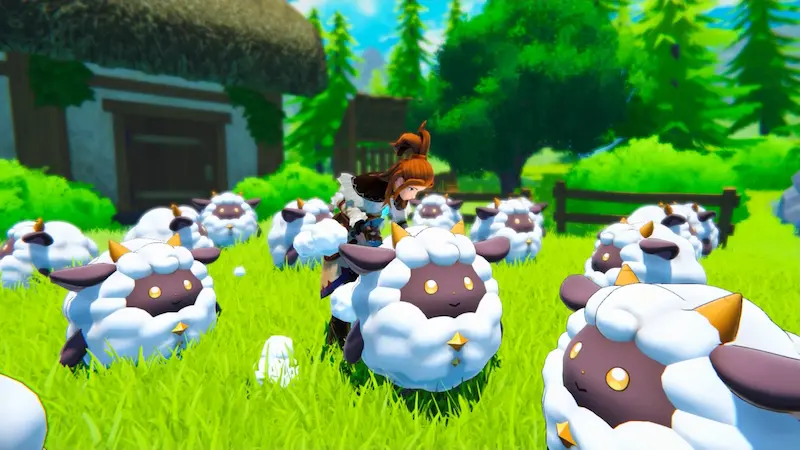
Palworld Environment
Palworld Base Building
Base building

Build Your Empire

Create and manage your own base with the help of your Pals. Automate resource gathering, crafting, and farming while expanding your territory.

Featured partners

Creators who run their communities on CloudNord.

Distant Horizons Distant Horizons
Theomonty Theomonty
JustAen JustAen
Dokibird Dokibird
Goutros Goutros
Bricks 'O' Brian Bricks 'O' Brian

Every plan includes

Instant automated setup
Full SFTP + file manager
Automatic game updates
One-click modpack installs
Free migrations
Automatic backups
3-day full refund
DDoS protection, always on
The detail

Running a Palworld server

Palworld is memory-hungry, and it gets hungrier. A fresh world with two base camps is cheap to run. The same world three months later, with several guilds, dozens of pals assigned to work and structures everywhere, is not. Size for the world you will have rather than the one you are starting, because moving up later is easier than watching a Saturday night server stutter. Nightly restarts and automatic backups do most of the day-to-day work.

Palworld

How much RAM do you need?

Up to 4 players 8 GB A fresh world, one or two base camps.
Up to 8 players 16 GB Memory climbs with base count, not headcount.
Up to 16 players 24 GB Several guilds, a mature save, long uptime.
Up to 32 players 32 GB Full server. Schedule restarts to reclaim memory.

A guide, not a limit — you can change plan later without losing your world.

Getting started

01
Pick a plan and location

Palworld wants memory more than anything else, and it wants more of it as the world ages. Start a tier above what your player count alone would suggest.

02
Deploy and lock it down

The server is up in about sixty seconds. Set a server password and an admin password before you share the address, then name the server and set your slot count.

03
Tune the world settings

Experience, capture and breeding rates, day length, base camp limits and death penalties all live in the settings file. Change them before players start, not after.

04
Schedule restarts and backups

Memory use grows with uptime. A nightly restart keeps it in check, and automatic backups turn a bad patch or a deleted base into a one-click fix.

Split your server

Turn one server into two, for the same money

Need a database, a test server or a second world? Split RAM off the server you already have. You are re-allocating memory you already pay for, so the total barely moves — no second order, no migration.

Before
8 GB RAM

Palworld

per month $20.89
After
6 GB RAM

Palworld

Same world, same players, same address.

per month $15.69
After
2 GB RAM

MariaDB

A database server of your own.

per month $5.29

$20.89 before · $20.98 after — two servers, one bill

Database servers

A real database, not a shared one

Split off a database and you get your own MariaDB, PostgreSQL or MongoDB server — its own RAM, its own storage, its own version. Not a schema on a box shared with a thousand other people.

Your own instance

Dedicated RAM and CPU. A heavy query on someone else's database can't slow yours down.

Pick your engine and version

MariaDB, PostgreSQL or MongoDB, each with every version worth running — choose at creation, keep it until you decide otherwise.

Manage it in the panel

Create databases and users, browse tables and run queries from the browser.

Reachable from your servers

Point your plugins at it over the private network — no public exposure needed.

Splitting is done from your server's page once it is running — nothing to order.

FAQ

Before you order

The things people ask about Palworld hosting before they deploy. Anything else — the crew is around 24/7.

Ask on Discord
Flexible slot options from 4 up to 32 players — 10, 16 and 24-slot configurations are most popular. Need more? Support can set up a custom size.
AMD Ryzen 7 7700 or equivalent CPUs, DDR5 RAM and NVMe SSDs, kept to a low player-per-core ratio.
Yes — new servers deploy on the current build automatically, and existing servers upgrade from the panel in one click.
Experience multipliers, breeding speed, capture rates, item stack sizes, PvP, building damage and death penalties — all from the control panel.
Automated, scheduled, and restorable to any point with one click.
Because the world keeps accumulating. Every base, structure, chest and pal assigned to work is state the server holds, and it grows whether players are online or not. A fresh save is cheap to run; the same save three months later, with several guilds, is not. Schedule a nightly restart, and move up a tier when restarts stop helping.
Usually, yes. A locally hosted save can be copied into the server's save directory so nobody loses progress. It is fiddly — the save folder is named by a generated ID that has to match what the server expects — so open a ticket and support will walk through it with you.
Yes. Palworld reads its settings file when the server starts, so edits made while it is running are ignored, and a restart that reloads the old file will quietly undo them. Stop the server, edit, then start. Rates that change progression are best agreed before anyone plays rather than after.
Only partly. Slots set who can connect; the load comes from what those players build and how many pals are working. Eight players with sprawling bases can be heavier than twenty who mostly explore. Size the plan on the world you expect to have, and treat the slot count as a separate decision.
Some do. Palworld's modding scene is young and there is no official server-side mod API, so support varies by mod and often breaks on patches. You have full file and SFTP access, so anything the current build supports can be installed — keep backups and expect to re-check after every update.

18 locations worldwide

A global network of high-performance nodes, so you get the best possible ping no matter where your players are.

All regions online
CloudNord server locations worldwide
Nuremberg de
Helsinki fi
London gb
Stockholm se
Paris fr
Amsterdam nl
New York us
Philadelphia us
Washington DC us
Boston us
Dallas us
Phoenix us
Portland us
Montréal ca
Singapore sg
Mumbai in
Tokyo jp
Brasília br
Europe Nuremberg Helsinki London Stockholm Paris Amsterdam
North America New York Philadelphia Washington DC Boston Dallas Phoenix Portland Montréal
Asia-Pacific Singapore Mumbai Tokyo
South America Brasília
CloudShield

DDoS protection, included

Every server sits behind always-on filtering at the network edge. Attack traffic is dropped before it reaches your node, so your players stay connected and you are not billed extra for the privilege.

On by default

Nothing to enable, configure or buy as an add-on. Active from the moment your server is created.

Filtered at the edge

Volumetric traffic is dropped upstream of your node, so your CPU and RAM keep serving players.

Game-aware filtering

Rules are tuned for game protocols, so real players are not caught alongside the attack traffic.

Nothing for you to do

Mitigation starts automatically. If something does get through, support can see it and respond.

Attacks, dropped Players, through
Enterprise network

Powered by a 10Gbps network

Every node sits on a 10Gbps uplink with direct routes into the major exchanges, so traffic reaches your players over as few hops as possible. Less distance, fewer transits, lower and steadier ping.

10 Gbps
Uplink on every node
99.9%
Uptime target
24/7
Network monitoring

Direct peering with Tier 1 networks and major exchanges. Availability varies by location.

Same infrastructure, every game

AMD Ryzen 7 7700 or equivalent nodes, DDR5 RAM, NVMe storage and a 10Gbps network, in 18 locations across Europe, North America, Asia-Pacific, South America and Oceania.

Start your Palworld server

Deployed in seconds. Backed by humans, 24/7.