
This knowledge-base article explains how to grant admin privileges to yourself or other players on a Factorio server hosted on CloudNord. Admin access allows full control over player management, moderation commands, and server administration.
Overview
On a CloudNord-hosted Factorio server, admin permissions can be assigned in two supported ways:
-
Using the server Console (recommended and simplest method)
-
Manually editing the server-adminlist.json file
Both methods are safe and officially supported by Factorio.
Method 1: Promote a Player Using the Server Console (Recommended)
The easiest and fastest way to grant admin access is through the CloudNord Console.
Steps
-
Log in to your CloudNord Dashboard
-
Navigate to Servers
-
Select your Factorio server
-
Click Console in the left sidebar
-
Make sure the player you want to promote has joined the server at least once
-
Enter the following command:
/promote username
Replace username with the exact in-game Factorio username.
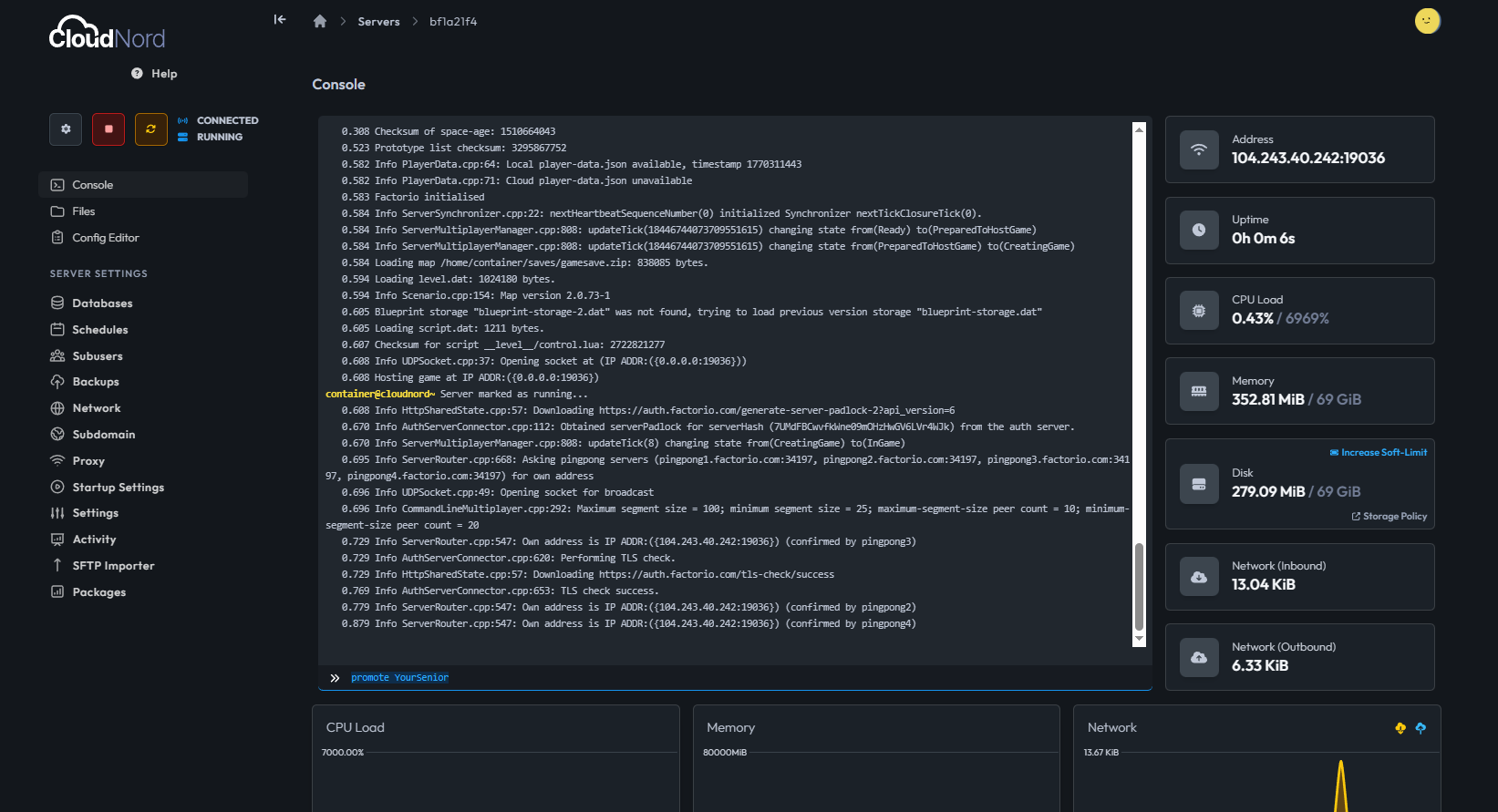
Confirmation
If successful, the console will display a message similar to:
username was promoted to admin by <server>
This command will also automatically create or update the server-adminlist.json file.
Method 2: Manually Edit server-adminlist.json
Admins can also be added manually by editing a configuration file. This method is useful if the server is offline or if you want to predefine admins.
Steps
-
Open your Factorio server in the CloudNord Dashboard
-
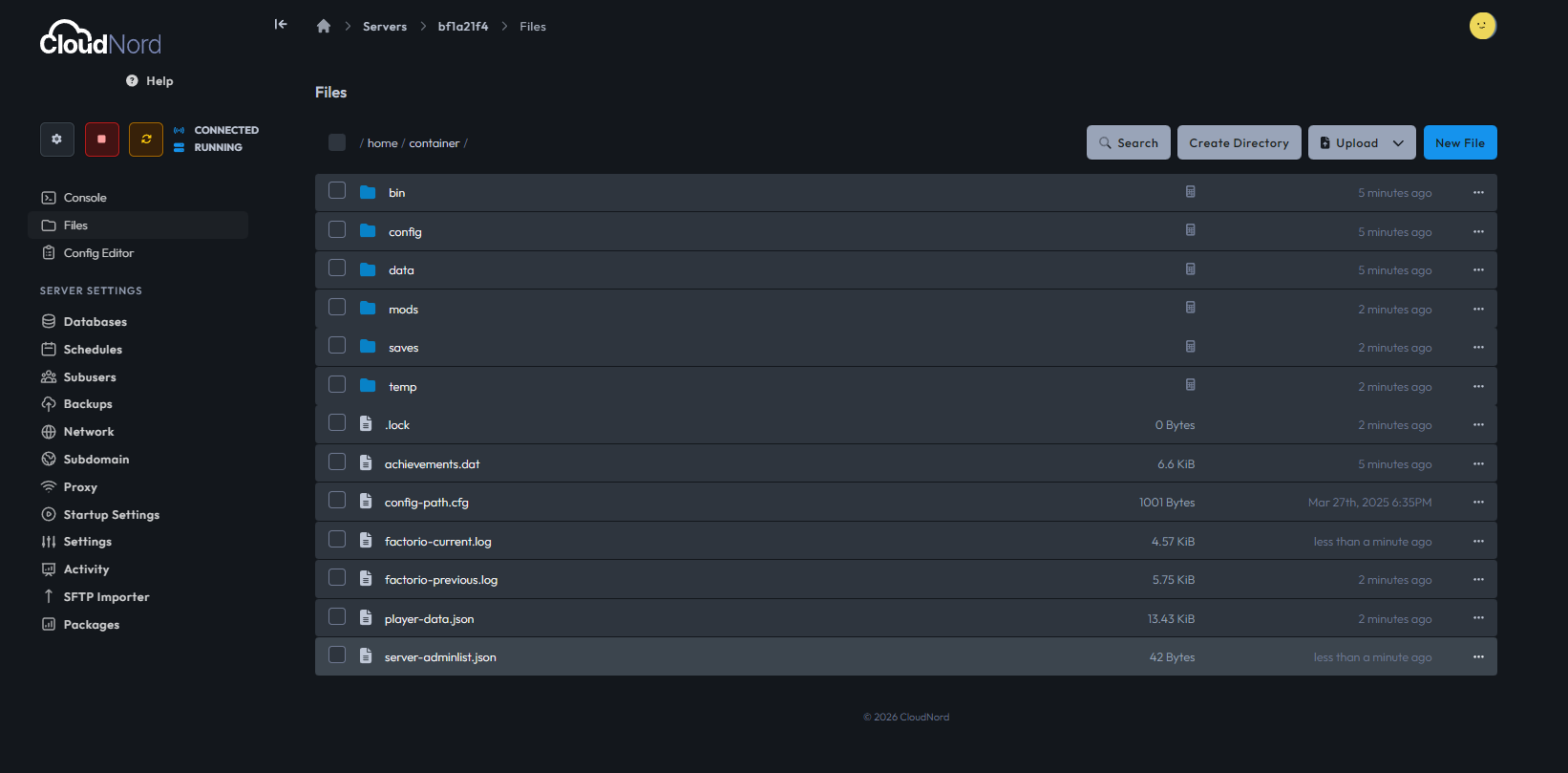
Go to File Manager
-
Navigate to the main server directory
-
Locate the file named:
server-adminlist.json
-
If the file does not exist, create it manually
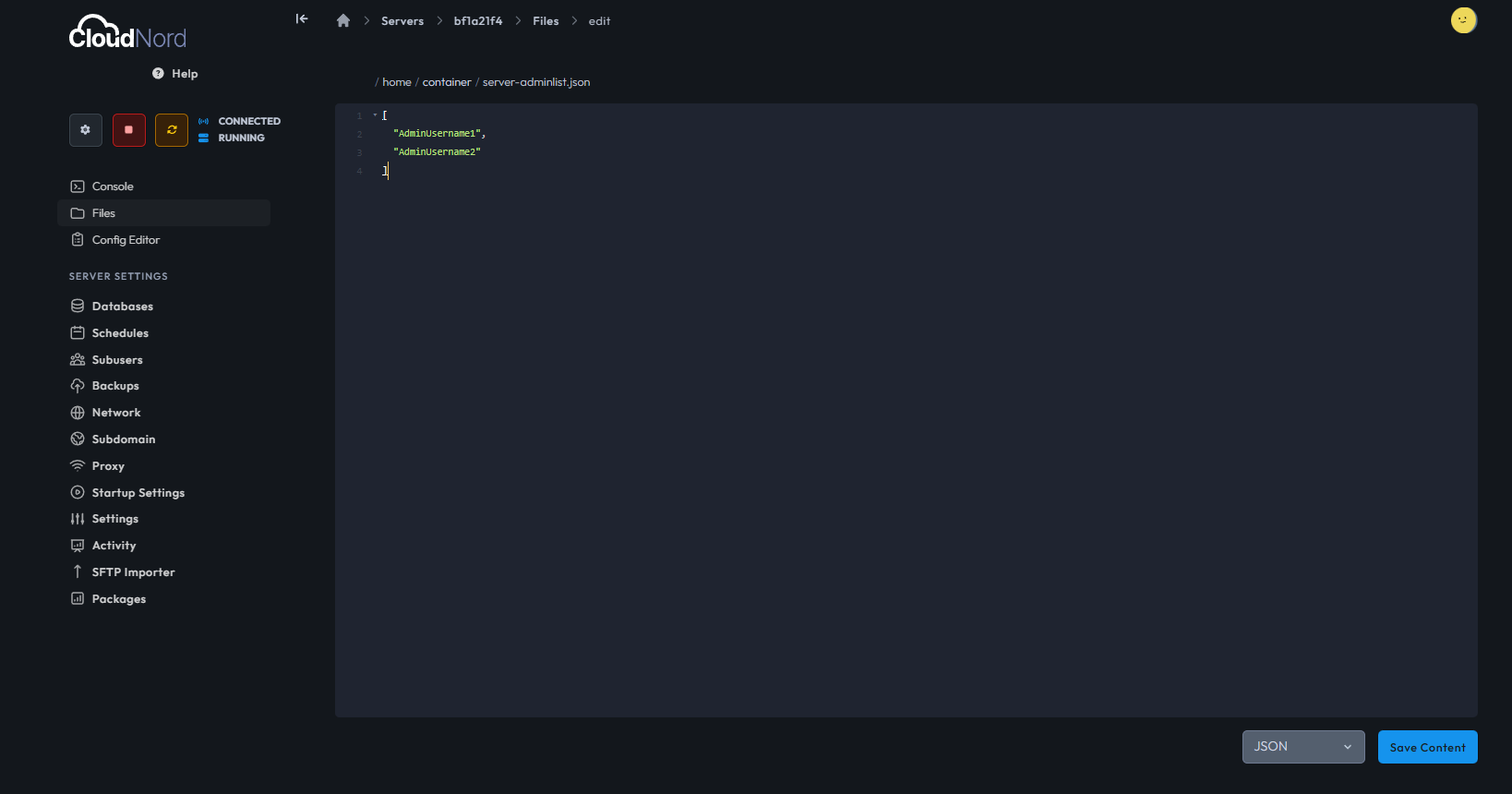
File Format Example
[
  "AdminUsername1",
  "AdminUsername2"
]
Important Notes
-
Usernames are case-sensitive
-
Each username must be enclosed in quotes
-
Commas are required between entries
-
Save the file after editing
After saving, restart the server for changes to take effect.
Admin Commands (Commonly Used)
Once a player has admin privileges, they can use various administrative commands in-game or through the console.
| Command | Description |
|---|---|
/admin |
Opens the player management interface |
/ban <player> <reason> |
Bans a player |
/unban <player> |
Removes a ban |
/kick <player> <reason> |
Kicks a player from the server |
/demote <player> |
Removes admin privileges |
Full List of Commands
Factorio provides a wide range of console and admin commands.
For the complete and official list, refer to the Factorio Wiki:
https://wiki.factorio.com/Console
Best Practices
-
Promote only trusted players to admin
-
Avoid editing admin files while the server is running
-
Keep a backup of configuration files before making changes
-
Use the console method whenever possible to prevent formatting errors
Troubleshooting
Player Not Promoted
-
Ensure the username is correct and case-sensitive
-
Make sure the player has joined the server at least once
Admin File Not Working
-
Verify the JSON format is valid
-
Restart the server after editing the file
Need Help?
If you experience issues assigning admin permissions or managing your Factorio server, CloudNord Support is available to assist.
Best regards,
- Senior