Sommer-Sale 10% Rabatt auf Lebenszeit kein Code nötig wird beim Checkout automatisch angewendet

GAME SERVER HOSTING

Minecraft: Java Edition Server-Hosting

Dein Server ist in etwa einer Minute bereit.

Minecraft: Java Edition server hosting CloudShield DDoS-Schutz und automatische Backups inklusive.

Ab
$5.29 $4.76/mtl.
Sommer-Sale · 10% Rabatt auf Lebenszeit
Minecraft Ambience
Minecraft: Java Edition BEREIT ZUR BEREITSTELLUNG
Server-Browser
Dein Minecraft: Java Edition Server BEREIT ZUR BEREITSTELLUNG 2–32 GB Deine Wahl ~60s $5.29 $4.76/mtl.
Server erstellen

Keine Karte erforderlich. Behalte ihn jederzeit und deine Welt wird übernommen.

Minecraft: Crossplay $5.29 $4.76 Project Zomboid $5.29 $4.76 Hytale $13.09 $11.78 Palworld $15.69 $14.12

Wähle deinen Plan

Preis pro GB, keine Einrichtungsgebühren, jederzeit upgraden.

Sommer-Sale — 10% Rabatt auf Lebenszeit · kein Code nötig

Server erstellen
GB
DDR5 RAM
$ $/mtl.
Klein anfangen – Sie können mit einem Klick upgraden, wenn Ihre Community wächst. Jetzt bereitstellen
Starter
$5.29
$4.76 /mtl.
Vanilla-Welten und kleine Crews.
2 GB DDR5 RAM
NVMe-Speicher
1–5 players
Automatische Backups
DDoS-Schutz
Auswählen
Am beliebtesten
Pro
$20.89
$18.80 /mtl.
Modpacks und mittelgroße Communities.
8 GB DDR5 RAM
NVMe-Speicher
10–25 players
Automatische Backups
DDoS-Schutz
Auswählen
Dedicated
$83.39
$75.05 /mtl.
Volle Knotenleistung für große Netzwerke.
32 GB DDR5 RAM
NVMe-Speicher
25+ players, or heavy packs
Automatische Backups
DDoS-Schutz
Auswählen
4.9/5 on Trustpilot

Great server and price

Great Minecraft servers at a good price. I really liked that they have many regional server options so I was able to pick a server in the city not far from me.

Thomas Zhou Jul 2026

Amazing Server Hosting Platform

Cloud Nord is easily one of the top Minecraft server hosting providers available. They deliver excellent customer service, and their prices are very competitive compared to other platforms. The game panel is user friendly and intuitive. Overall, I strongly recommend Cloud Nord to anyone looking to host a server.

Daniel Alvarado Jul 2026

Great Hosting Service From CloudNord

CloudNord offers good prices for their hosting services. They have multiple game server hosting plans and feature a really good game panel to manage the server and features a lot of customizations. I am currently hosting a Minecraft server and we have not encountered any issues at all!

Dex Space Jul 2026

Cloudnord are a great host for minecraft servers

Cloudnord are the best host for minecraft servers i found, they give good support and control options over their servers i myself am running a server network with cloudnord, 100% whould reccomend!

JumXier Jul 2026

Minecraft Hosting

I use CloudNord to host a Minecraft Java server with about 10 people online tops. The prices are great and the server is customizable. The interface is great as well and the uptime is impeccable with a minimal lag server.

Nate Jul 2026

CloudNord the best server hoster

CloudNord delivers what it promises: fast performance, stable uptime, and helpful support. Their game servers run smoothly, even with heavy modpacks. Setup is quick, the panel is easy to use, and increasing resources takes seconds.

Phasmo Paez Jul 2026

Good pricing & many options

CloudNord offers easy-to-operate but highly customizable game servers at reasonable prices! I've been hosting Minecraft Servers with them for over half a year now and am personally very satisfied. Their support is very responsive and I haven't experienced any issues with them at all.

Miles Tesch Jun 2026

Great Minecraft Server Host

I've been using CloudNord to handle my Minecraft servers for some time, and I have to say their service is one of the best by cost and performance standards. It's definitely a worthwhile investment, especially if you really want to fine tune what specs your server has.

Rolando Garcia Jun 2026

Best for Minecraft hosting

CloudNord is the best Minecraft hosting service my friends and I have used. The UI is very cleanly designed and setting up a server with almost any configuration you want is very easy. Everything runs smoothly and we've experienced little to no lag while playing our modded server.

lord terard Jun 2026

I host a very heavily modded minecraft server

I host a very heavily modded minecraft server using cloudnord, and anytime ive had any issues with my server the support always replies within 2-3 hours. Server stability is wonderful and the team is very transparent with any issues affecting the service.

Toni Kral Jun 2026

Great for Modded Minecraft

I've been using CloudNord to run a modded Minecraft server with about 160 mods. Of all server hosts they have had cheaper prices and solid hardware which manages to run my server well. Quick with support aswell, even on the most minor of things.

Pika Apr 2026

amazing service.

i keep coming back to cloudnord every time me and my buddies have our minecraft phase. the ui for the panel is wonderful, the prices are low, and the staff are a delight.

SpockyMarshX Apr 2026

Great for Minecraft

We have a Minecraft server, it was easy to get into from the moment of purchase, easy to setup, and easy to join the world. No complaints.

Stu Mar 2026

Ease of use and next to none customer service

The performance is extraordinary, and the customer service is swift and incredibly fast. I'm enjoying the experience on my Minecraft server a lot. 100% recommended.

Miguel A. Mar 2026

great minecraft hosting site

ive been using cloudnord to host my minecraft server, so far, it has been great, the value and the customer service is great, would really recommend this to anyone

Bagaskara Iryawan Mar 2026

Server with great performance for every penny

Have been using CloudNord for about 2 years for a Minecraft server with a couple of friends. The server runs smoothly even with tons of mods installed and loaded, and unbelievably I've never had any issues that needs support to fix.

Walt Lee Mar 2026

After having some performance issues on my home server

After having some performance issues on my home server with a decently modded minecraft server, I looked for an alternative. I've had some really bad experiences with 3rd party hosters in the past so I was hesitant but after doing some research I decided on CloudNord. Migration and setup were really easy via FTP and the server runs like a dream so far. Not a single complaint from any of the other players either - which trust me, is very rare. On top of that they hold cheaper than a lot of their other competitors.

Rielle Mar 2026

Great performance, price, support team is very helpful.

Fast and helpful support, full control over the servers, great pricing and performance. I ONLY recommend CloudNord to my friends, because the team running it is genuenly awesome, and you get a great deal. No other Minecraft hosting service that I've tried comes close in quality.

NikZapp Mar 2026

Cloudnord Review

I actually had a great time using Cloudnords servers before for a Minecraft server with some friends of mine. The latency was actually really solid and I rarely ran into any issues. Now that I've bought my own server, their customer service response time is great and quick to respond to any queries I have. Overall, really nice.

WaterGodDestroyer Feb 2026

I recently made a Minecraft server using their services

I recently made a Minecraft server using their services and the experience was great. The customer support is great and the tools are mostly intuitive. They make it easy to transfer your server from one service to theirs and overall the service is seamless.

Brady Gatten Feb 2026

Entwickelt für Minecraft: Java Edition

Unterstützung für benutzerdefinierte JARs

Führen Sie Ihre eigenen benutzerdefinierten JAR-Dateien aus, nicht nur die Voreinstellungen.

Über 1.200 Modpacks mit einem Klick

FTB, CurseForge, Technic, VoidsWrath, ATLauncher und Modrinth, alle vorintegriert.

Webkarten-Viewer erlaubt

Dynmap, Squaremap, LiveAtlas und Pl3xmap eignen sich gut für die browserbasierte Weltansicht.

Keine erzwungene Spielerbegrenzung

Wählen Sie einen Plan für die Größe Ihrer Community – die Grenze ist Ihre Hardware, nicht wir.
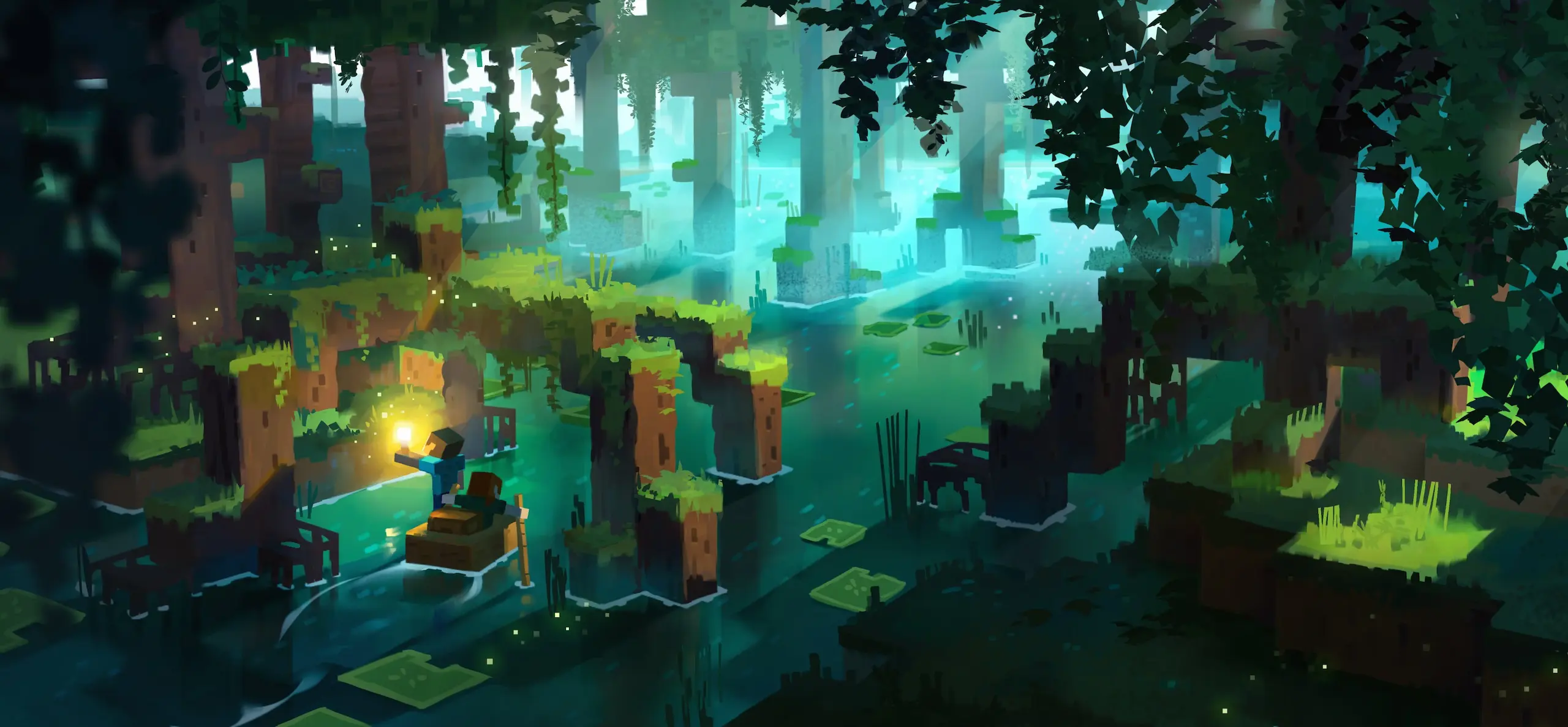
Mobs in a Minecraft swamp at night
Kreaturenbegegnungen

Stelle dich den Mobs

Kämpfe oder freunde dich mit allem an, was die Nacht dir entgegenwirft. Schwierigkeitsgrad, Mob-Spawning und feindliche Obergrenzen sind alles Servereinstellungen, sodass du entscheidest, ob deine Welt eine gemütliche Bausession oder ein Kampf ums Überleben bis zum Morgen ist.

Vielfältige Landschaften

Erkunde riesige Biome

Reise durch Biome, die jeweils ihre eigenen Ressourcen und Strukturen verbergen. Java generiert die Welt, während deine Spieler sie betreten, also gib dem Plan Raum: Eine erkundete Welt wächst auf der Festplatte und im RAM lange nach dem ersten Tag.


A Minecraft landscape spanning several biomes
Players building together on a Minecraft server
Mods und Plugins

Führe Paper, Forge oder Fabric aus

Java ist die Edition, für die die Modding-Szene entwickelt. Wechsle im Panel zwischen Vanilla, Paper, Forge und Fabric, installiere ein Modpack mit einem Klick und füge Plugins hinzu, ohne eine Konfigurationsdatei manuell zu bearbeiten.

AUSGEWÄHLTE PARTNER

Creator, die ihre Communities auf CloudNord betreiben.

Distant Horizons Distant Horizons
Theomonty Theomonty
JustAen JustAen
Dokibird Dokibird
Goutros Goutros
Bricks 'O' Brian Bricks 'O' Brian

Jeder Plan beinhaltet

Sofortige automatisierte Einrichtung
Voller SFTP + Dateimanager
Automatische Spiel-Updates
Ein-Klick-Modpack-Installationen
Kostenlose Migrationen
Automatische Backups
3-Tage volle Rückerstattung
DDoS-Schutz, immer aktiv
Das Detail

Einen Minecraft: Java Edition-Server betreiben

Ein Minecraft-Server ist hauptsächlich eine Frage dessen, was Sie darauf betreiben. Vanilla bleibt originalgetreu, Paper tauscht ein wenig Parität gegen viel Spielraum ein, und Forge oder Fabric öffnen die Tür zu Modpacks, die gerne jedes Gigabyte nutzen, das Sie ihnen geben. Ihre Welt, Ihre Plugins und Ihre Spieleranzahl beanspruchen alle denselben RAM, also dimensionieren Sie den Plan für den anspruchsvollsten der drei Faktoren. Backups, Updates und DDoS-Schutz laufen ohne Ihr Zutun.

Minecraft: Java Edition

Wie viel RAM wird benötigt?

1–5 Spieler 2 GB Vanilla-Survival mit einer kleinen Gruppe.
5–15 Spieler 4 GB Paper mit einer Handvoll Plugins.
10–25 Spieler 8 GB Mittelgroße Modpacks oder Plugins und eine große Welt.
25+ Spieler oder große Modpacks 12–16 GB Große Forge- und NeoForge-Pakete oder ein stark frequentierter öffentlicher Server.

Ein Leitfaden, keine Grenze – Sie können den Plan später ändern, ohne Ihre Welt zu verlieren.

Erste Schritte

01
Plan und Standort auswählen

Dimensionieren Sie den RAM für Ihre Mod-Liste und nicht für Ihre Spieleranzahl – Modpacks sind der speicherhungrige Teil. Wählen Sie dann den nächstgelegenen unserer 18 Standorte zu den Personen, mit denen Sie spielen.

02
Wählen Sie Ihre Server-Software

Vanilla für exakte Parität, Paper oder Purpur für Plugins und Leistungsreserven, Fabric oder Forge für Mods. Installieren Sie es über das Panel oder laden Sie eine benutzerdefinierte JAR-Datei hoch, wenn Sie möchten.

03
Welt importieren oder generieren

Laden Sie einen bestehenden Spielstand per SFTP hoch oder lassen Sie den Server beim ersten Start eine neue Welt erstellen. Legen Sie den Seed, Schwierigkeitsgrad und Spielmodus in server.properties fest, bevor Sie ihn starten.

04
Anpassen, dann Leute einladen

Wenn der Server überlastet wirkt, reduzieren Sie zuerst die Sicht- und Simulationsdistanz und generieren Sie Chunks vor. Aktivieren Sie die Whitelist, teilen Sie die Adresse und Backups werden ab dann ausgeführt.

Teilen Sie Ihren Server auf

Machen Sie aus einem Server zwei, für das gleiche Geld

Benötigen Sie eine Datenbank, einen Testserver oder eine zweite Welt? Teilen Sie RAM von Ihrem bestehenden Server ab. Sie re-allozieren Speicher, den Sie bereits bezahlen, sodass sich die Gesamtkosten kaum ändern — keine zweite Bestellung, keine Migration.

Vorher
8 GB RAM

Minecraft: Java Edition

pro Monat $20.89
Nachher
6 GB RAM

Minecraft: Java Edition

Gleiche Welt, gleiche Spieler, gleiche Adresse.

pro Monat $15.69
Nachher
2 GB RAM

MariaDB

Ein eigener Datenbankserver.

pro Monat $5.29

$20.89 vorher · $20.98 nachher — zwei Server, eine Rechnung

Datenbankserver

Eine echte Datenbank, keine geteilte

Lagern Sie eine Datenbank aus und Sie erhalten Ihren eigenen MariaDB-, PostgreSQL- oder MongoDB-Server – mit eigenem RAM, eigenem Speicher und eigener Version. Kein Schema auf einem Server, der mit tausend anderen geteilt wird.

Ihre eigene Instanz

Dedizierter RAM und CPU. Eine aufwendige Abfrage auf einer fremden Datenbank kann Ihre nicht verlangsamen.

Engine und Version auswählen

MariaDB, PostgreSQL oder MongoDB, jeweils mit jeder sinnvollen Version – wählen Sie bei der Erstellung und behalten Sie sie, bis Sie sich anders entscheiden.

Verwalten Sie ihn im Panel

Erstellen Sie Datenbanken und Benutzer, durchsuchen Sie Tabellen und führen Sie Abfragen direkt im Browser aus.

Von Ihren Servern erreichbar

Verbinden Sie Ihre Plugins über das private Netzwerk damit — keine öffentliche Exposition erforderlich.

Das Aufteilen erfolgt auf der Seite Ihres Servers, sobald dieser läuft — nichts muss bestellt werden.

FAQ

Vor der Bestellung

Was Leute über Minecraft: Java Edition Hosting fragen, bevor sie es bereitstellen. Alles andere – das Team ist 24/7 erreichbar.

Auf Discord fragen
Nein – wir erzwingen keine feste Begrenzung. Empfohlene Spielerzahlen werden pro Plan als Richtwert angezeigt, aber die tatsächliche Kapazität hängt von Ihren Mods, Plugins und der Weltgröße ab.
Eine 100 GiB Soft-Grenze gilt standardmäßig, um Missbrauch zu verhindern. Mehr für ein großes Modpack oder eine Karte benötigt? Kontaktieren Sie den Support — Erhöhungen, die den tatsächlichen Gameplay-Anforderungen entsprechen, werden routinemäßig genehmigt.
Ja. Dynmap, Squaremap, LiveAtlas und Pl3xmap sind alle für die browserbasierte Weltansicht geeignet — das Hosten von nicht verwandten Websites auf dem Server ist es nicht.
Ports werden standardmäßig zufällig aus unserem Pool zugewiesen. Ein dediziertes IP-Add-on ermöglicht Ihnen jeden gewünschten Port, einschließlich 25565. Ohne dieses können Java-Spieler weiterhin eine Domain über einen SRV-Eintrag nutzen – Bedrock-Spieler müssen den Port manuell eingeben, da Bedrock keine SRV unterstützt.
AMD Ryzen 7 7700 oder gleichwertig, mit DDR5 RAM und NVMe-Speicher, in einem 10-Gbit/s-Netzwerk.
Paper is the usual choice for plugin servers: close enough to vanilla for most players, and it holds more of them on the same RAM. Fabric and Forge are for mods, and the two are not interchangeable — a pack built for Forge needs Forge. Vanilla is there when you want exact parity.
More than the player count suggests. A light Fabric pack is comfortable on 4 GB, most CurseForge and FTB packs want 6 to 8 GB, and the large kitchen-sink packs are happier at 12 GB or above. Check the pack page first — most authors publish a figure, and it is usually about right.
Yes. Stop the server, upload the world folder over SFTP or through the file manager, and point level-name in server.properties at it. Bring the plugin or mod folder too, on the same versions — a world saved by a modded server will not load cleanly without them.
View distance and simulation distance, in that order. Dropping both to 6 or 8 recovers more tick time than anything else you can do in a minute. After that, look for entity build-ups such as mob farms and dropped item stacks, then run a timings or spark report to find the plugin or mod behind it.
Yes, from the panel. Moving forward usually works; moving back does not, because older builds cannot read newer chunk formats. Take a backup before any major version change, and check that every plugin and mod you depend on has a build for the version you are heading to.

18 Standorte weltweit

Ein globales Netzwerk von Hochleistungs-Nodes, damit du den bestmöglichen Ping erhältst, egal wo sich deine Spieler befinden.

Alle Regionen online
CloudNord Serverstandorte weltweit
Nuremberg de
Helsinki fi
London gb
Stockholm se
Paris fr
Amsterdam nl
New York us
Philadelphia us
Washington DC us
Boston us
Dallas us
Phoenix us
Portland us
Montréal ca
Singapore sg
Mumbai in
Tokyo jp
Brasília br
Europe Nuremberg Helsinki London Stockholm Paris Amsterdam
North America New York Philadelphia Washington DC Boston Dallas Phoenix Portland Montréal
Asia-Pacific Singapore Mumbai Tokyo
South America Brasília
CloudShield

DDoS-Schutz, inklusive

Jeder Server ist durch eine ständig aktive Filterung am Netzwerkrand geschützt. Angriffsverkehr wird abgefangen, bevor er Ihren Knoten erreicht, sodass Ihre Spieler verbunden bleiben und Ihnen keine zusätzlichen Kosten entstehen.

Standardmäßig aktiviert

Nichts muss aktiviert, konfiguriert oder als Add-on erworben werden. Aktiv ab Servererstellung.

Am Rand gefiltert

Volumetrischer Traffic wird vor Ihrem Knotenpunkt verworfen, sodass Ihre CPU und Ihr RAM weiterhin Spieler bedienen können.

Spielbezogene Filterung

Die Regeln sind auf Spielprotokolle abgestimmt, damit echte Spieler nicht im Angriffsverkehr stecken bleiben.

Kein Handlungsbedarf

Die Mitigation startet automatisch. Sollte etwas durchkommen, kann der Support es sehen und reagieren.

Angriffe, abgewehrt Spieler, durch
Unternehmensnetzwerk

Angetrieben von einem 10-Gbit/s-Netzwerk

Jeder Knoten verfügt über einen 10-Gbit/s-Uplink mit direkten Routen zu den großen Internetknoten, damit der Traffic Ihre Spieler über so wenige Hops wie möglich erreicht. Weniger Distanz, weniger Transits, niedrigerer und stabilerer Ping.

10 Gbps
Uplink an jedem Knoten
99.9%
Ziel-Uptime
24/7
Netzwerküberwachung

Direktes Peering mit Tier-1-Netzwerken und großen Börsen. Verfügbarkeit variiert je nach Standort.

Dieselbe Infrastruktur, jedes Spiel

AMD Ryzen 7 7700 oder gleichwertige Nodes, DDR5 RAM, NVMe-Speicher und ein 10-Gbit/s-Netzwerk, an 18 Standorten in Europa, Nordamerika, Asien-Pazifik, Südamerika und Ozeanien.

Deinen Minecraft: Java Edition Server starten

In Sekunden bereitgestellt. Von Menschen unterstützt, 24/7.