How to Activate Hardcore Mode on Your Minecraft Server with CloudNord
Hardcore mode is Minecraft’s ultimate survival challenge where death is permanent — players go into spectator mode with no respawn, and difficulty is locked to hard automatically.
Steps to Enable Hardcore Mode on CloudNord Servers
-
Log into your CloudNord control panel at https://game.cloudnord.net.
-
Stop your Minecraft server from the dashboard to safely edit configuration files.
-
Open the Files section and locate the
server.propertiesfile. -
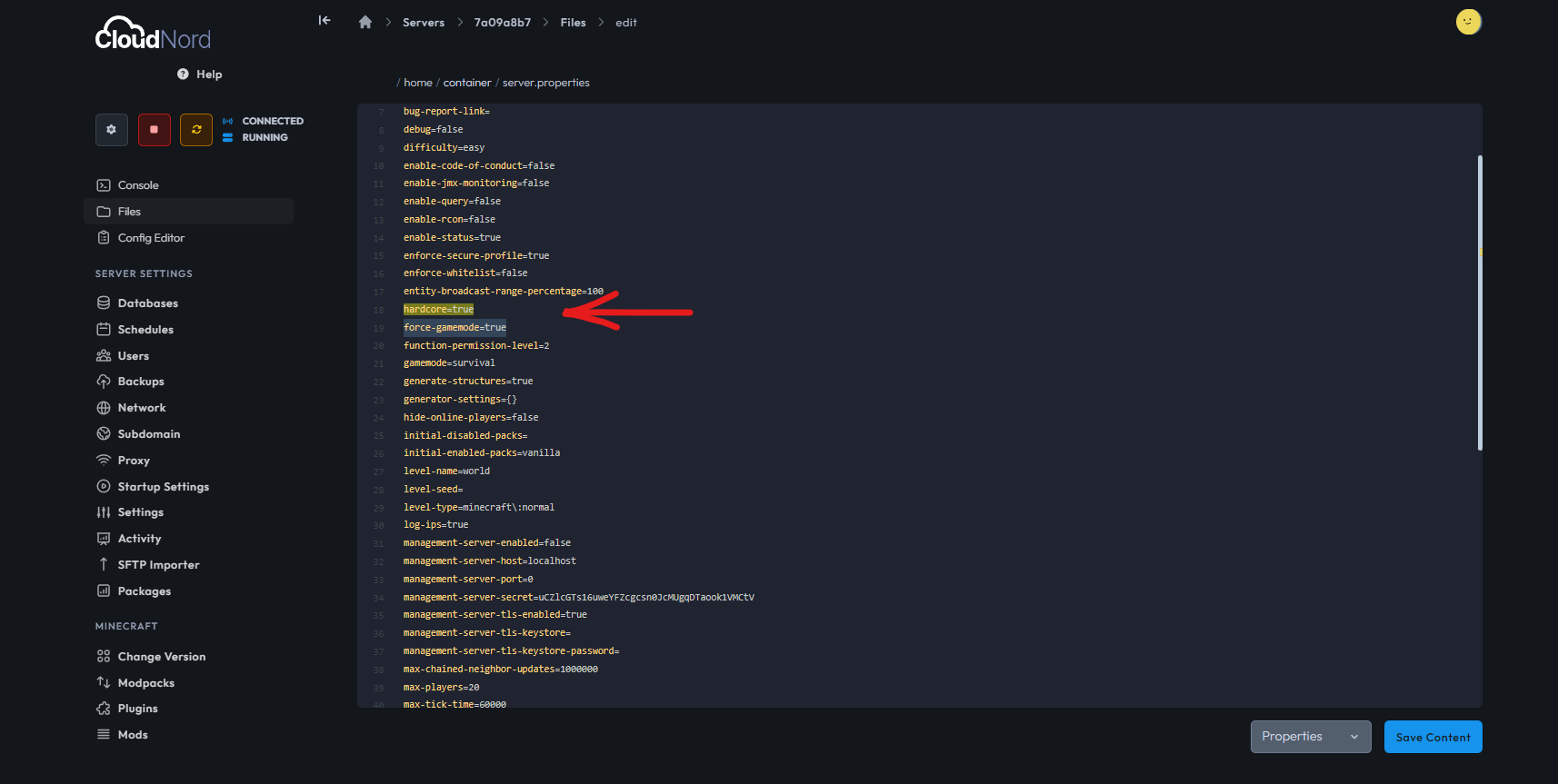
Find the line that starts with:
hardcore= -
Change the value to:
hardcore=true -
Save the file.
-
-
(Optional) To enforce hardcore mode strictly on existing worlds, find or add this line and set it to true:
force-gamemode=trueThis ensures returning players remain in the proper hardcore state.
-
Start your Minecraft server again to apply the changes.
Important Warning
Hardcore mode means permanent death — once a player dies, they cannot respawn and are switched indefinitely to spectator mode. Make sure all players understand this serious consequence before enabling hardcore mode as it cannot be reversed through standard gameplay.
Why Use Force-Gamemode?
For servers with existing worlds or players, force-gamemode=true helps maintain the hardcore restrictions properly by forcing players into correct game modes on login, preventing bypasses.
CloudNord’s easy-to-use panel makes activating hardcore mode quick and secure, providing the hardest survival Minecraft experience for your community.
For support and advanced server configurations, CloudNord’s team is ready to assist anytime.
This guide is customized for CloudNord hosted Minecraft servers for smooth server management.
Need More Help?
If you can't find what you're looking for, our support team is here to help.