How to set up a CS2 server
- Go to the Game Server Panel.
- Click on your server and go to the "Startup" tab.
- Enter your Steam Username and Password in the variables for SteamCMD Login Username and SteamCMD Login Password. This is required for Steam to verify ownership of the game and to start your server. We will not use your Steam credentials for anything other than verifying ownership of the game.
- Start your server.
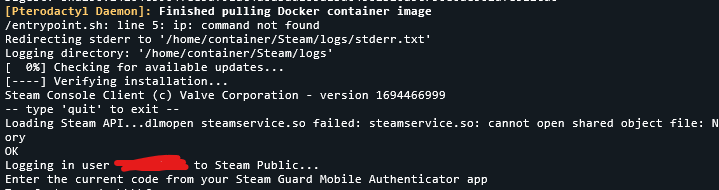
- If you have Steam Guard Mobile Authenticator enabled for your account, you will be presented with a text saying "Enter the current code from your Steam Gaurd Mobile Authenticator app. Open the app and enter the authenticator code and hit ENTER:
- Wait for the game to install and download required files from steam. This is all done automagically. Once done, your server will be powered on and you can connect to it in-game using
connect serverip.
Done!